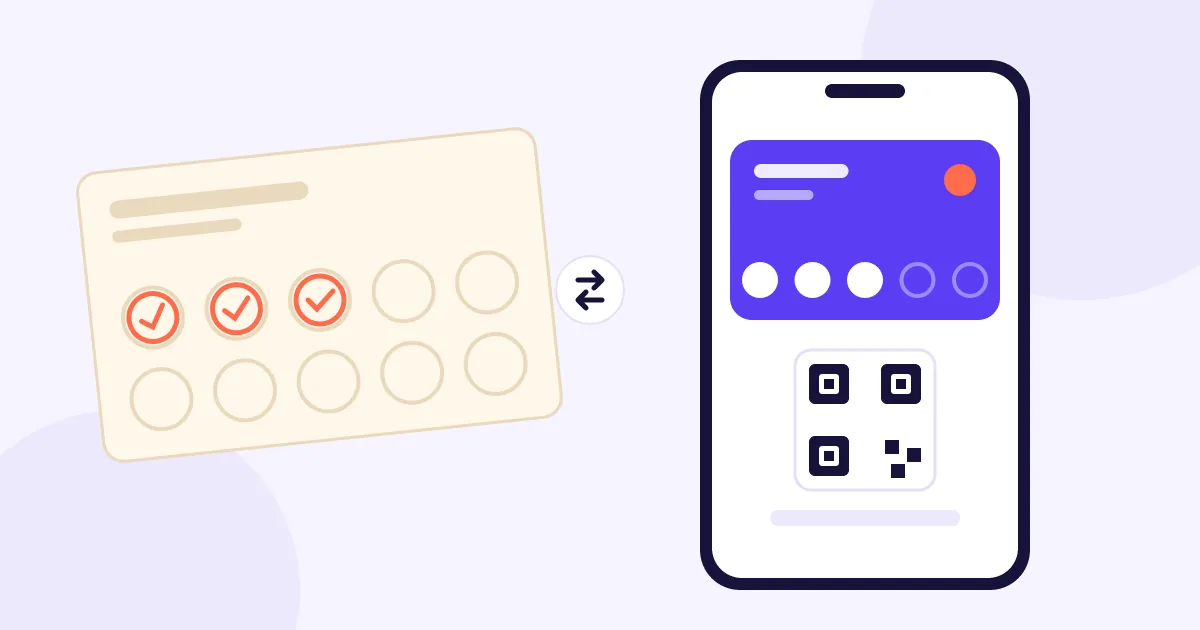
A paper punch card is a printed card where a business marks each visit or purchase with a stamp, a signature or a hole punch. Once the customer fills every spot, they earn a reward, like a free item or a discount.
It's the oldest and simplest loyalty program out there: no technology needed, customers get it instantly and you can have it running in a day. Its weakness is that all the information lives on a piece of cardstock that the customer carries in their wallet, or leaves at home.
A digital loyalty card is a stamp or points card that customers save in Apple Wallet or Google Wallet on their phone, with no app to download, and that the business updates with a scan at each visit. Progress shows right on the card and updates automatically.
Customers add it by scanning a QR code at your counter, and from then on it sits next to their boarding passes and event tickets. On your side, every scan is recorded: who came in, when and how much progress they made. That data is what lets you see who's drifting away.
The main difference is that a paper card only counts visits, while a digital card also keeps each customer's history and lets you reach them. Fraud risk, how often cards get lost and how easy it is to change the rules are different too.
Feature
Paper punch card
Digital wallet card
Getting started
Print and launch the same day
Set up the program once
Cost
Printing every card
Monthly platform subscription
Gets lost?
Yes, all the time
No, it lives on their phone
Fraud
Stamps are easy to copy or give away
Every visit is logged and auditable
Customer data
None
Visits, frequency and last visit
Reaching customers
Not possible
Email or wallet notification, with permission
Changing rules or rewards
Reprint every card
Update it from your dashboard
Spotting inactive customers
No
Yes
Which loyalty program fits your business?
5 questions, 2 minutes. See your result at the end, no email needed.
A paper card costs whatever you pay to print each one, plus hidden costs like rewards handed out for fake stamps and customers who restart after losing their card. A digital card costs a flat monthly subscription, which usually covers visit tracking, reports and messaging.
To compare using your own numbers, use these formulas:
Monthly paper cost = cards handed out per month × printing cost + rewards given away through fraud
Monthly digital cost = monthly subscription
Say you hand out 200 cards a month at $0.15 each: that's $30 in printing. If four rewards a month also go out on stamps that were never earned, at $3 each, that's another $12. The cost missing from both formulas is the biggest one: customers who quietly stop coming in. You can estimate it with the lost customer calculator.
A paper card still makes sense when you're testing whether a loyalty program works for your business at all, you serve a small group of regulars and you don't plan to contact people when they stop coming in. In that case, the low startup cost outweighs the limitations.
It may be enough if:
You have few customers and know most of them by name.
You want to validate the reward and the visit goal before investing.
Your team is small and you trust everyone completely.
You're not interested in tracking frequency or winning back inactive customers.
Switch to a digital card when you want to know who stopped coming in, when fraud starts costing you rewards or when you have more customers than you can keep track of. Another sign: customers keep telling you they forgot their card and asking you to "catch them up next time."
Signs it's time:
You hand out rewards without being sure every visit was real.
You have several people working the register or more than one location.
You want to send offers only to customers who are drifting away.
You'd like to change the reward without reprinting hundreds of cards.
You can switch without losing anyone if you honor the progress customers already have on paper, make adding the digital card take seconds and give your staff one simple line to explain it. The key is that customers never feel like they're starting over.
Set a switch date. Announce that from that day on, new stamps go on their phone.
Honor existing progress. If someone has 4 paper stamps, add 4 to their digital card.
Put the QR code where people see it. At the register, on tables or at the counter.
Prep your team. A line like "Scan this and your card lives on your phone, so you'll never lose it."
Ask for permission to contact them. Use a separate checkbox for receiving offers.
Phase out paper gradually. Accept old cards for a few weeks.
It gives you what paper never can: knowing who is starting to drift away, and the chance to invite them back before they're gone for good. The digital card stops being just a stamp counter and becomes a retention tool.
Here's how Relowme works: your stamp card, points card or both live in Apple Wallet and Google Wallet, your staff adds visits with a scan and an AI agent learns each customer's rhythm. When someone is running late, it drafts an email or wallet notification with offers you've set, only for customers who opted in. It also caps visits at one per customer per day and keeps an auditable log of every scan.
It's much harder than copying a paper stamp, because every visit is recorded with a date, time and the staff member who added it. Rotating codes and daily visit limits cut the risk even further.
Yes, during a transition. The best approach is to honor paper progress, move customers onto the digital card and stop handing out paper cards after a few weeks.
You can keep an alternative around for a while, but most customers would rather not carry one more card. Explaining that "this way you'll never lose it" usually does the trick.
About Relowme
Relowme is a loyalty program in Apple Wallet and Google Wallet for local businesses, with stamps, points or both, and an AI agent that spots inactive customers and wins them back automatically.